Generate Invoices

Guide to generating invoices for AIRNAV, PASC, and Handling Agent billing types

Generate Invoices Overview

Overview

The Generate Invoices section allows you to create invoices for processed billing data. The system supports three main billing types: AIRNAV (Air Navigation), PASC (Passenger Service Charge), and Handling Agent invoices.

Billing Types

  • AIRNAV Invoices: Generated from air navigation service charge data
  • PASC Invoices: Generated from passenger service charge data collected by airports
  • Handling Agent Invoices: Generated from ground handling service charge data

Invoice Generation Process

  1. Select Billing Period: Choose the billing period for which you want to generate invoices
  2. Select Billing Type: Choose AIRNAV, PASC, or Handling Agent
  3. Review Data: Verify that data has been processed and is ready for invoice generation
  4. Generate Invoices: Create invoices individually or in batch mode
  5. Review Generated Invoices: Check the generated invoices for accuracy
  6. Update Billing Period Status: System automatically updates period status to "invoiced" after successful generation

Invoice Generation Workflow

When generating invoices, the system:

  1. Retrieves processed data from production tables for the selected billing period
  2. Groups data by customer (PACID) for invoice consolidation
  3. Calculates charges based on billing parameters and rates
  4. Applies exchange rates if local currency is used
  5. Generates invoice numbers (sequential or custom format)
  6. Creates invoice master records in the database
  7. Creates invoice detail records with line items
  8. Generates PDF files for each invoice
  9. Updates billing period status to "invoiced"
  10. Updates customer billing terms if applicable

Invoice Components

All invoices include the following standard components:

  • Header Information: Invoice number, date, billing period, customer reference
  • Customer Details: Name, billing address, contact information
  • Service Details: Line items showing services provided, dates, and charges
  • Financial Information: Subtotal, taxes (if applicable), total amount due
  • Payment Information: Payment terms, due date, bank details, wire transfer instructions
  • Footer Information: Late payment terms, interest rates, contact information

Currency Handling

The system supports multiple currencies:

  • USD (US Dollars): Default currency for most invoices
  • JMD (Jamaican Dollars): Used for PASC invoices based on customer payment currency preference
  • Exchange rates are automatically applied when generating invoices in local currency
  • Current exchange rates are fetched from the exchange rate management system

Permissions

Invoice generation requires full access permissions (not view-only):

  • Generate Invoices - Air Navigation: Required for AIRNAV invoices
  • Generate Invoices - PASC: Required for PASC invoices
  • Generate Invoices - Handling Agent: Required for Handling Agent invoices

Note: View-only permissions do not allow invoice generation. Only users with full access (permission value 'Y') can generate invoices.
Generate AIRNAV Invoices

Overview

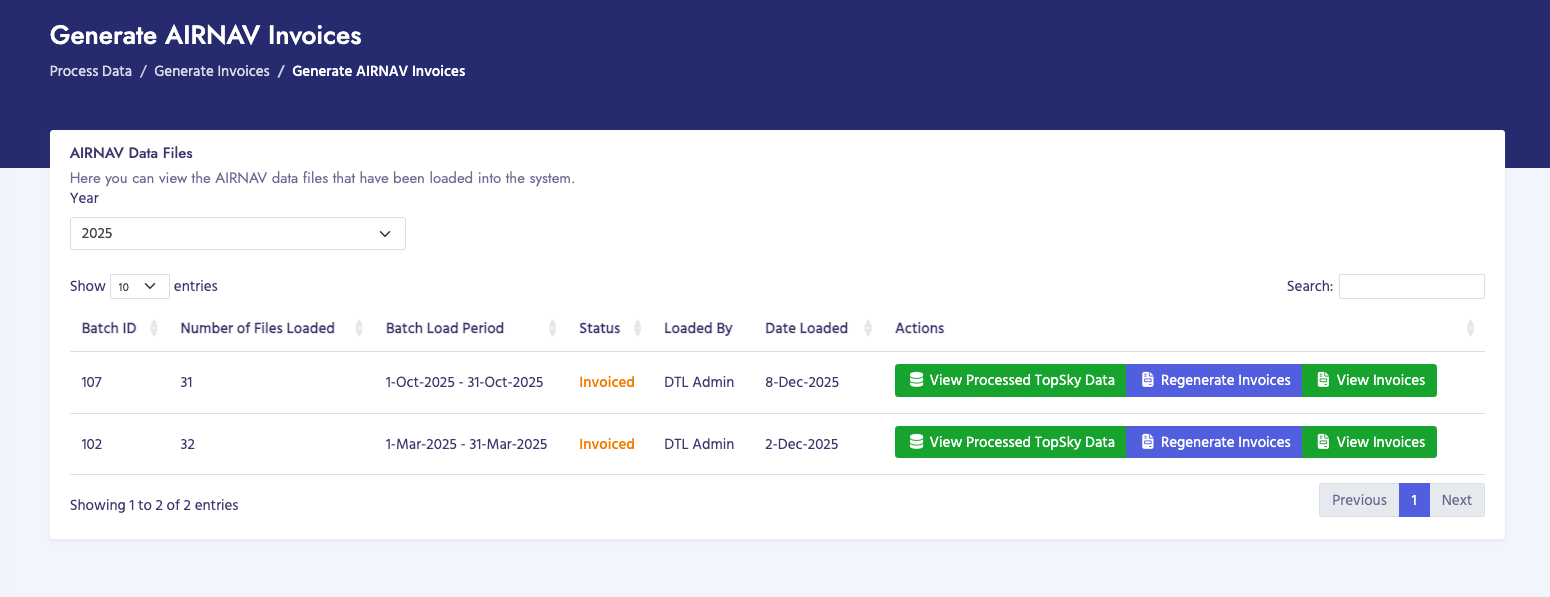
AIRNAV invoices are generated from processed air navigation service charge data. These invoices bill customers for air traffic control services, navigation aids, and other air navigation infrastructure services.

How to Generate AIRNAV Invoices

  1. Navigate to Billing Process → Generate Invoices → AIRNAV Invoices → Generate AIRNAV Invoices
  2. Select the Billing Period from the dropdown menu
  3. Ensure that AIRNAV data has been processed for the selected period
  4. Review the list of invoices that will be generated
  5. Click Generate Invoices to create the invoices
  6. Wait for the generation process to complete
  7. Review the generated invoices

Invoice Details

AIRNAV invoices typically include:

  • Customer information and billing address
  • Billing period dates
  • Flight details (aircraft registration, flight dates, routes)
  • Service charges (air navigation fees)
  • Total amount due in USD
  • Payment terms and due date

Important Notes

  • Ensure all AIRNAV data has been processed and moved to production before generating invoices
  • Check for unknown customers and resolve them before invoice generation
  • Invoices are generated as PDF files and saved to the system
  • Generated invoices can be viewed, downloaded, or emailed to customers
Generate AIRNAV Invoices

Generate PASC Invoices

Overview

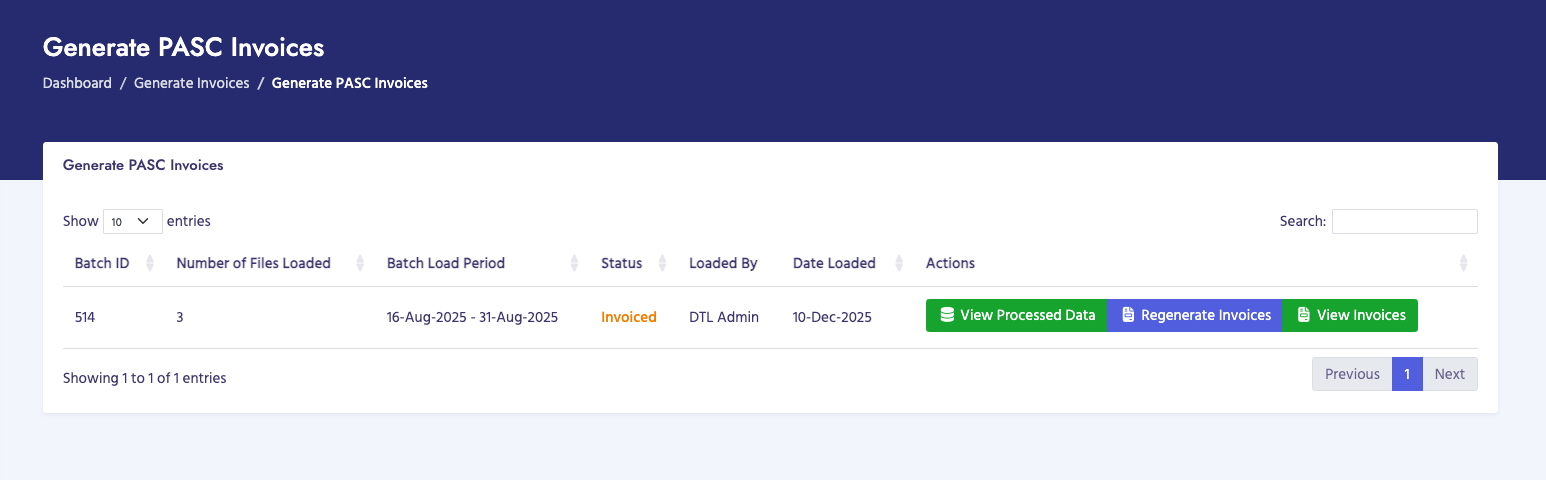
PASC (Passenger Service Charge) invoices are generated from processed passenger service charge data. These invoices bill customers for passenger service charges collected at airports.

How to Generate PASC Invoices

  1. Navigate to Billing Process → Generate Invoices → PASC Invoices → Generate PASC Invoices
  2. Select the Billing Period from the dropdown menu
  3. Ensure that PASC data has been processed for the selected period
  4. Review the list of invoices that will be generated
  5. Click Generate Invoices to create the invoices
  6. Wait for the generation process to complete
  7. Review the generated invoices

Invoice Details

PASC invoices typically include:

  • Customer information and billing address
  • Billing period dates
  • Airport information (grouped by airport)
  • Flight details and passenger counts
  • Passenger service charges
  • Total amount due (may be in USD or local currency)
  • Payment terms and due date

Important Notes

  • PASC invoices are grouped by airport for each customer
  • Ensure all PASC data has been processed and moved to production
  • Verify passenger counts and charges before generating invoices
  • Invoices may display amounts in local currency based on system settings
Generate PASC Invoices

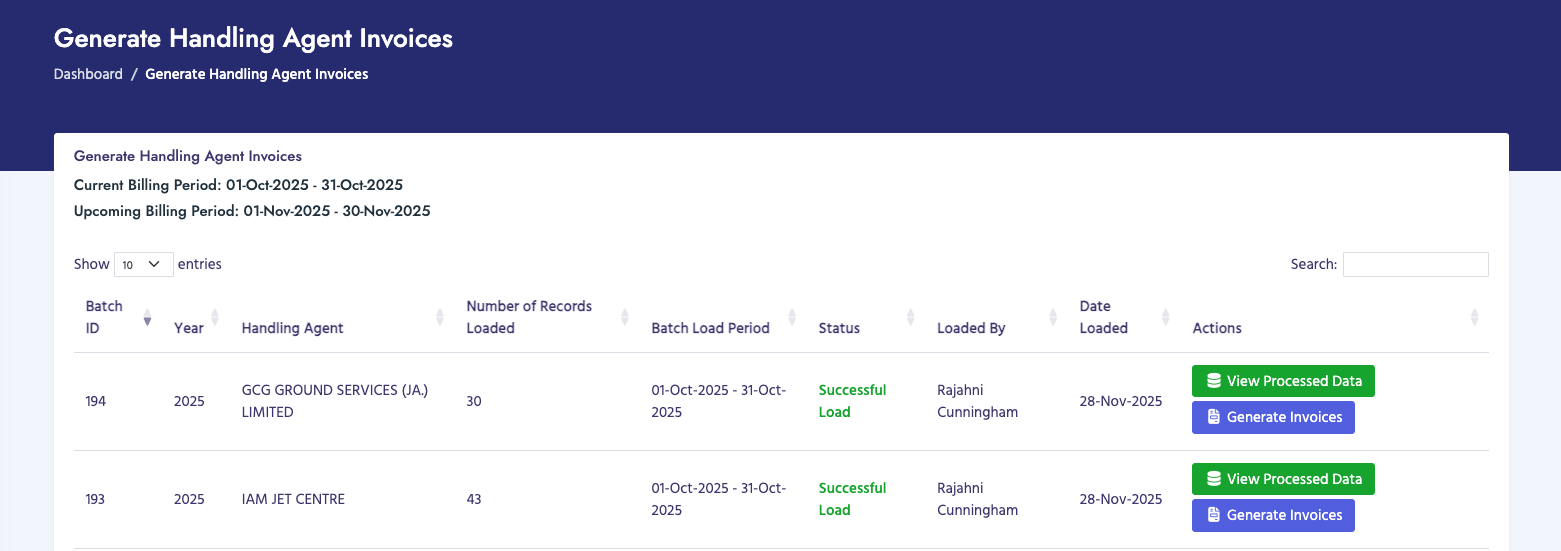
Generate Handling Agent Invoices

Overview

Handling Agent invoices are generated from processed ground handling service charge data. These invoices bill customers for ground services provided by handling agents at airports.

How to Generate Handling Agent Invoices

  1. Navigate to Billing Process → Generate Invoices → Handling Agent Invoices → Generate Handling Agent Invoices
  2. Select the Handling Agent from the dropdown menu (if applicable)
  3. Select the Billing Period from the dropdown menu
  4. Ensure that Handling Agent data has been processed for the selected period
  5. Review the list of invoices that will be generated
  6. Click Generate Invoices to create the invoices
  7. Wait for the generation process to complete
  8. Review the generated invoices

Invoice Details

Handling Agent invoices typically include:

  • Customer information and billing address
  • Billing period dates
  • Handling agent information
  • Flight details and service types
  • Ground handling service charges
  • Total amount due in USD
  • Payment terms and due date

Important Notes

  • Ensure all Handling Agent data has been processed and moved to production
  • Verify that the correct handling agent is selected
  • Check for duplicate records before generating invoices
  • Invoices are generated as PDF files and saved to organized folders
Generate Handling Agent Invoices