Overview
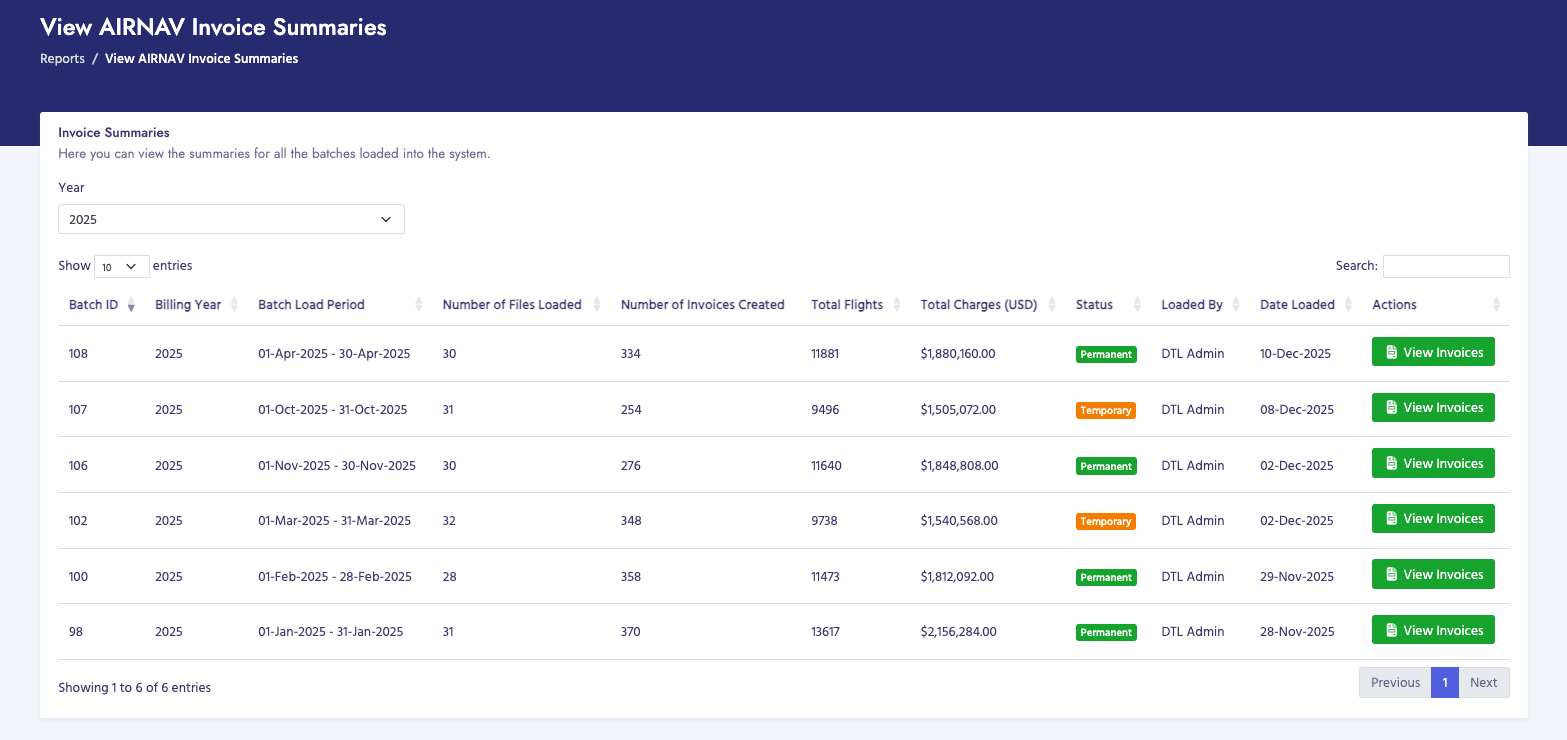
AIRNAV invoices display air navigation service charges billed to customers. You can view batch summaries, individual invoice lists, and detailed invoice information.
How to View AIRNAV Invoices
- Navigate to Billing Process → View Invoices → AIRNAV Invoices
- You will see the View AIRNAV Invoice Summaries page
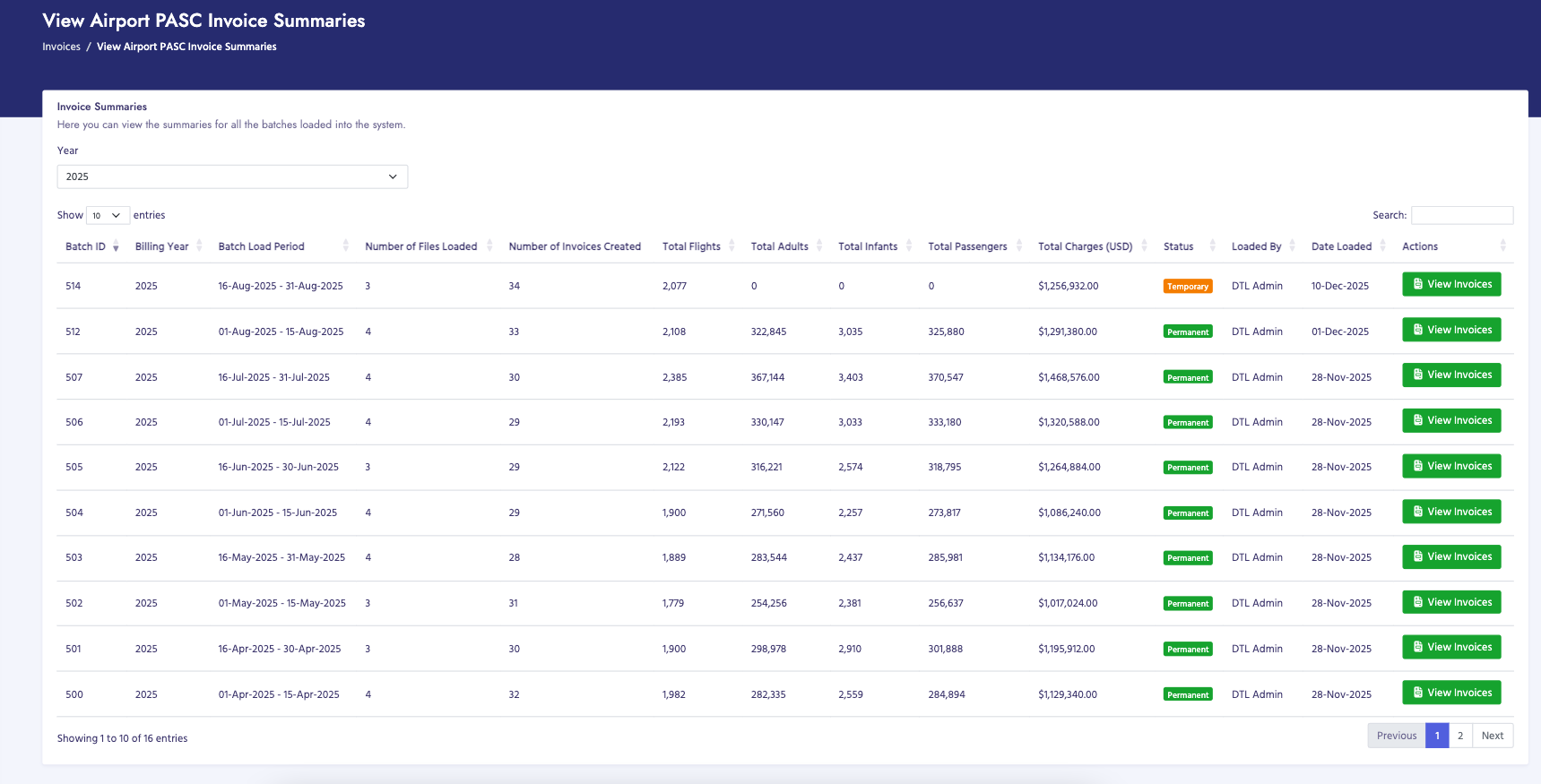
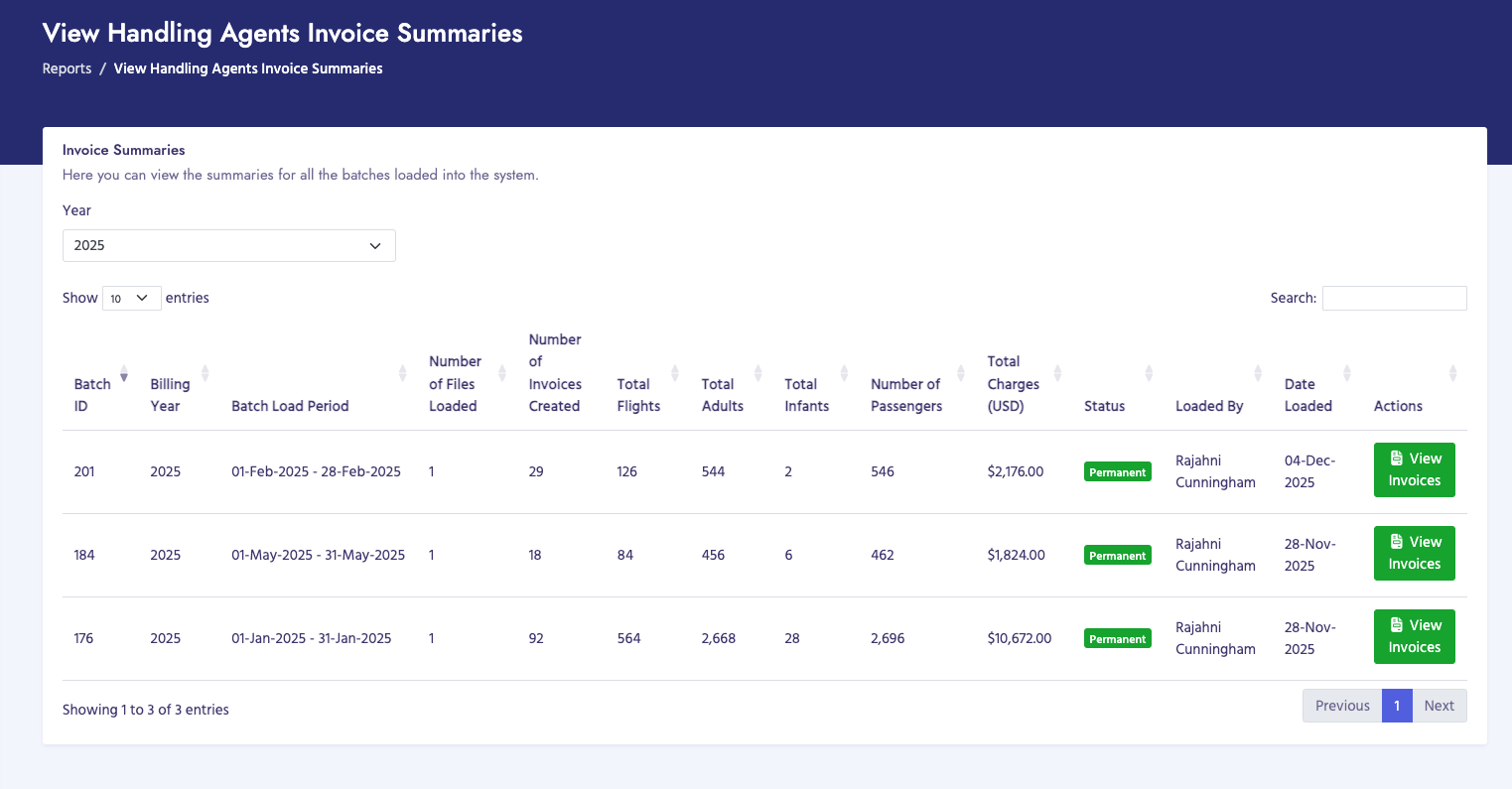
- Filter by Billing Year using the dropdown menu (defaults to current year)
- Review the table showing all processed batches with invoices
- Click View Invoices button for a specific batch to see individual invoices
Batch Summary Page
The batch summary page displays:
- Batch ID: Unique identifier for the data batch
- Billing Year: Year of the billing period
- Batch Load Period: Start and end dates of the billing period
- Number of Files Loaded: Total files processed in this batch
- Number of Invoices Created: Total invoices generated for this batch
- Total Flights: Total number of flights included in all invoices
- Total Charges (USD): Sum of all invoice amounts
- Status: Period status (Temporary/Invoiced or Permanent)
- Loaded By: User who processed the data
- Date Loaded: When the batch was processed
- Actions: Button to view individual invoices
Invoice List Page
When you click "View Invoices" from the batch summary, you'll see a list of all invoices for that batch. The invoice list displays:
- Invoice Number: Unique invoice identifier (or TEMP-ID if not yet finalized)
- Customer Name: Name of the billed customer
- Customer Reference (PACID): Customer's unique identifier
- Invoice Date: Date the invoice was generated
- Due Date: Payment due date based on billing terms
- Total Amount: Invoice total in USD
- Status: Payment status (Paid, Unpaid, Overdue, etc.)
- Actions: Buttons to view details, download PDF, or send email
Invoice Details Page
Clicking on an invoice from the list opens the detailed invoice view. The invoice details page includes multiple tabs:
Invoice Information Tab
- Invoice Header: Invoice number, date, billing period, customer reference
- Customer Information: Name, billing address, contact details
- Billing Summary: Total flights, total charges, payment terms
- Payment Information: Bank details, wire transfer instructions
Flight Details Tab
This tab shows a detailed table of all flights included in the invoice:
- Aircraft Identifier: Flight number or aircraft identifier
- Aircraft Type: Type of aircraft (e.g., Boeing 737, Airbus A320)
- Registration: Aircraft registration number
- Flight Date: Date of the flight
- Departure: Departure airport code
- Destination: Destination airport code
- Departure Time: Scheduled departure time
- Arrival Time: Scheduled arrival time
- Enroute Charge: Air navigation service charge for this flight
- Communication Charge: Communication service charge (if applicable)
- Total Charge: Total charge for this flight
Payment History Tab
Shows payment records associated with this invoice:
- Payment dates and amounts
- Payment methods
- Remaining balance
- Payment status
Messages Tab
Displays messages and communications related to this invoice:
- Customer inquiries
- Internal notes
- Dispute records
- Unread message count indicator
Actions Available
- View PDF: Open or download the invoice as a PDF file
- Send Email: Email the invoice to the customer
- View Invoice Summary: Download a CSV summary of all invoices in the batch (available when period status is "invoiced")
- Make Permanent: Finalize and lock the invoices (changes status from "invoiced" to "permanent")
Important Notes
- Invoices with status "invoiced" can still be modified or regenerated
- Once invoices are made "permanent", they cannot be changed
- Invoice numbers are assigned when invoices are finalized
- Temporary invoices show "TEMP-" prefix followed by the invoice ID
- Use the year filter to find invoices from specific years
- Invoice details include all flight movements that were processed for the billing period