Overview
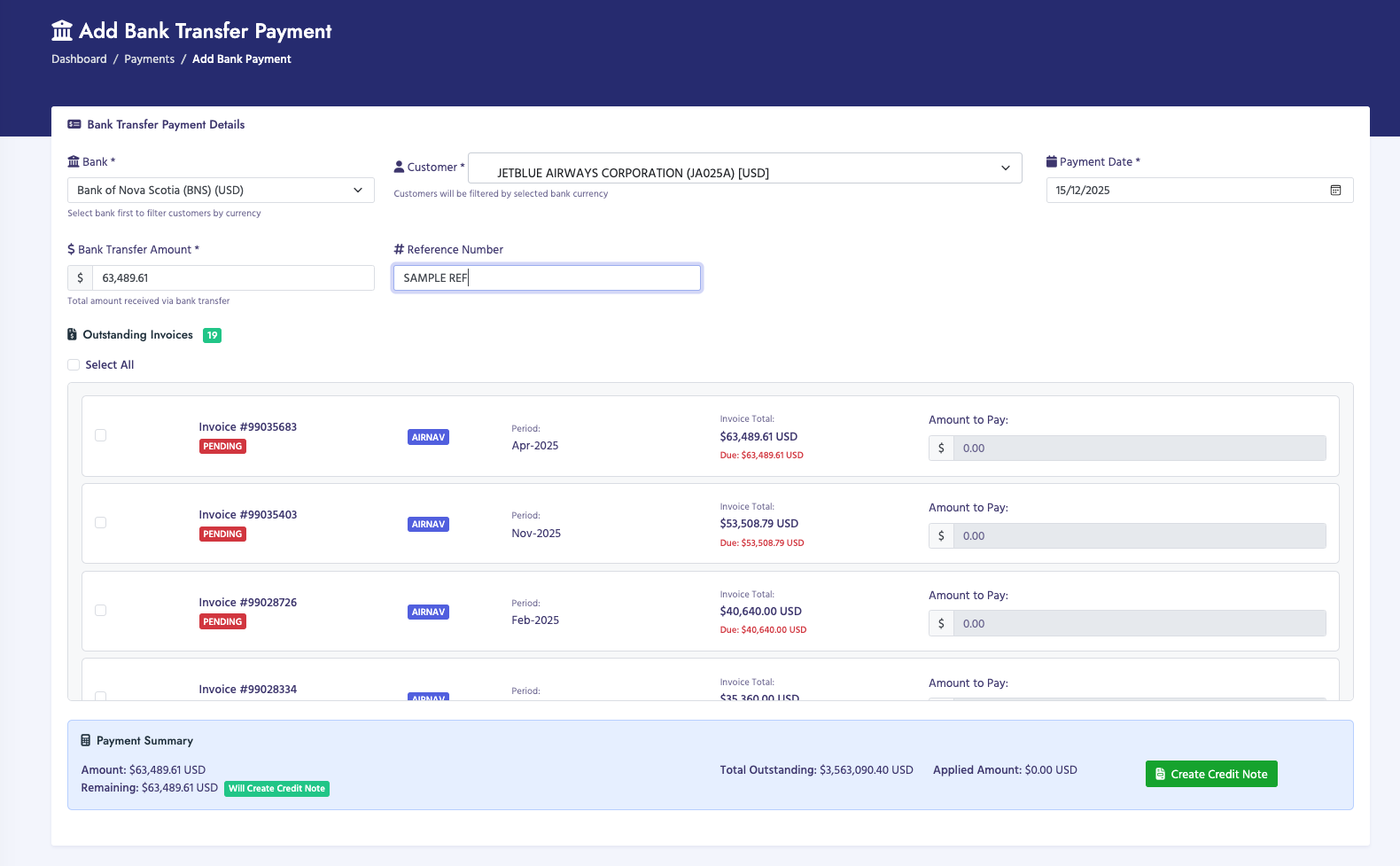
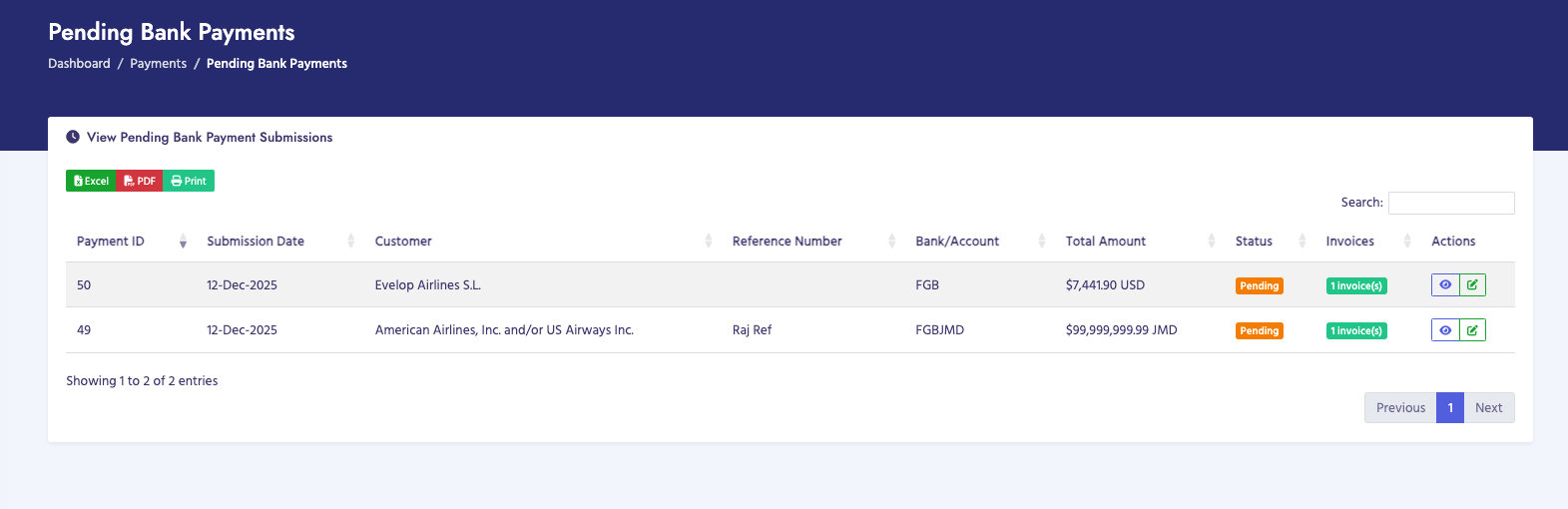
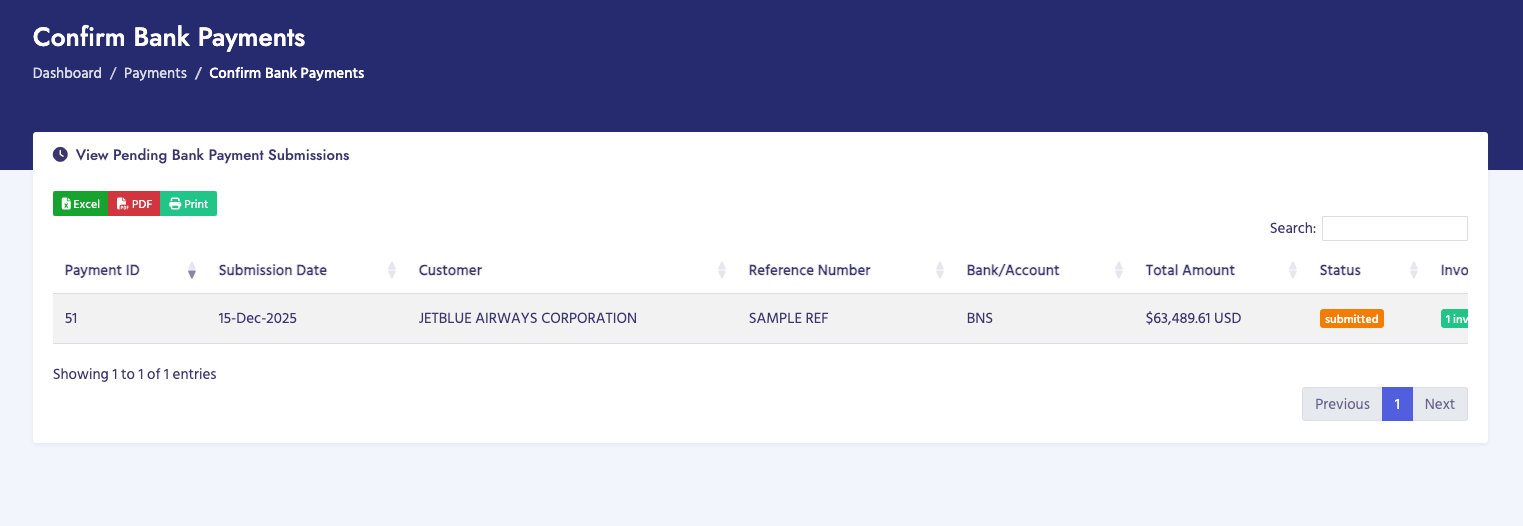
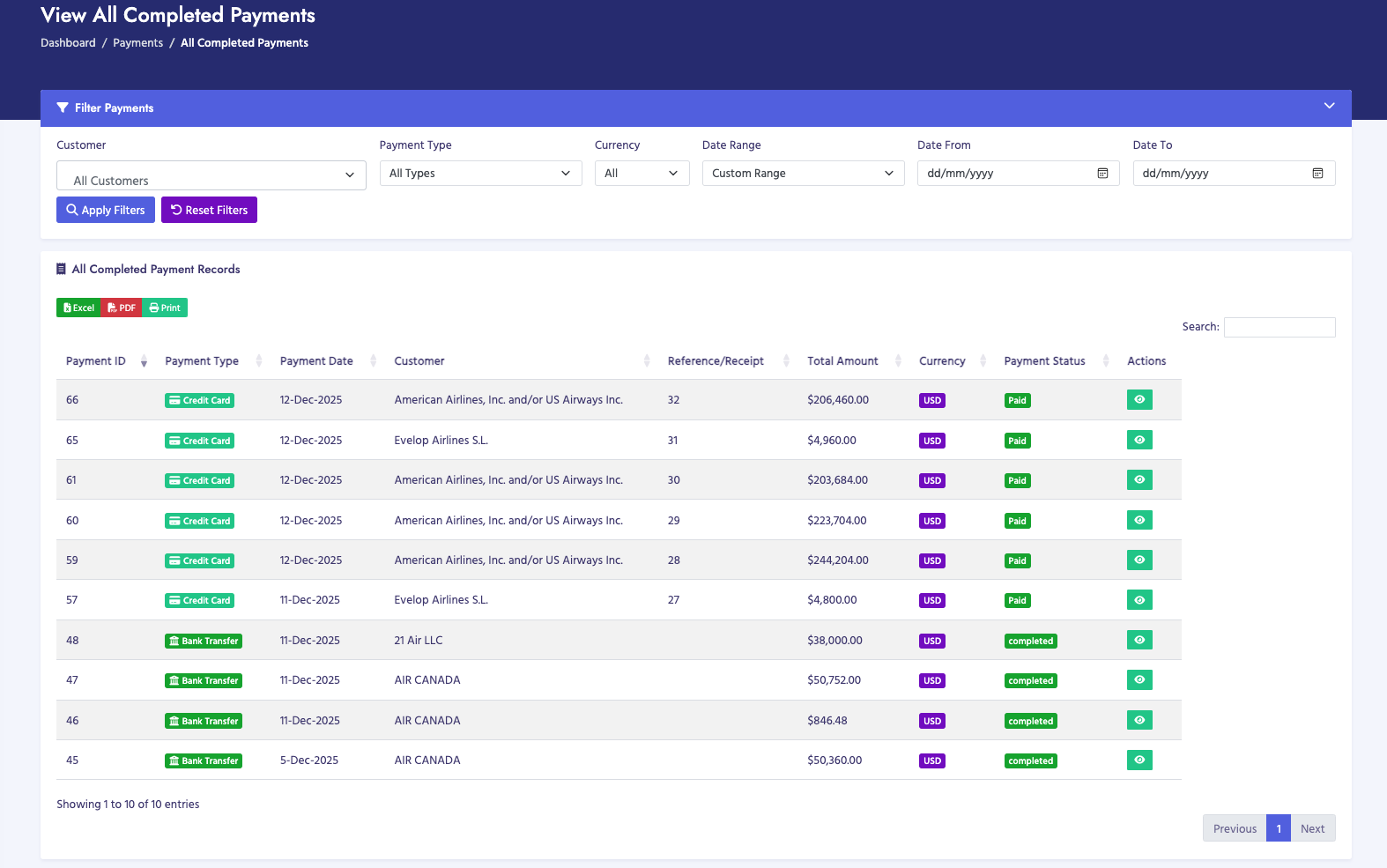
The Payments section allows you to manage bank transfer payments received from customers. This includes recording new payments, reviewing pending payments, confirming payments, and viewing all completed payment records.
Payment Types
- Bank Transfer Payments: Wire transfers and bank payments from customers
- Credit Card Payments: Payments processed through credit card (handled separately)
Payment Workflow
- Receive Bank Payment: Record a new bank transfer payment received from a customer
- Pending Bank Payments: Review payments that have been submitted but not yet confirmed
- Confirm Bank Payments: Verify and confirm pending payments after bank reconciliation
- View Final Payments: View all completed and confirmed payments
Permissions
Payment access is controlled by permissions:
- Payments (Full Access - Y): Can receive, confirm, and view all payments
- Payments (View-Only - V): Can only view final payments
Note: Full access is required to receive, confirm, or manage pending payments. View-only access allows viewing of completed payments only.
Payment Statuses
- Pending: Payment has been submitted but not yet confirmed
- Confirmed: Payment has been verified and confirmed
- Paid: Payment has been fully processed and applied to invoices
- Completed: Payment process is complete